
WeatherBug: Weather Forecast
WeatherBugWeather
4.6414.01K Reviews
- Version
- 6.10.0-2
- Installs
- 10.00M
- Age Rating
- Everyone
Screenshots
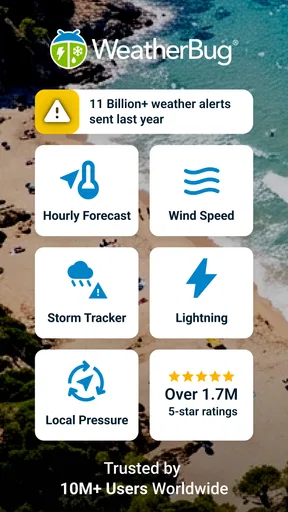
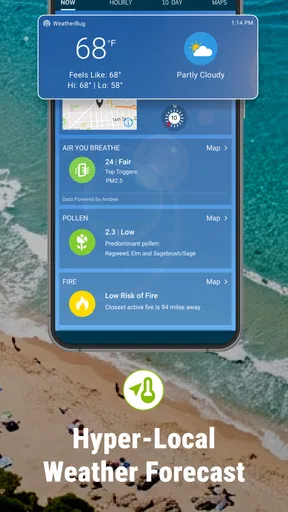
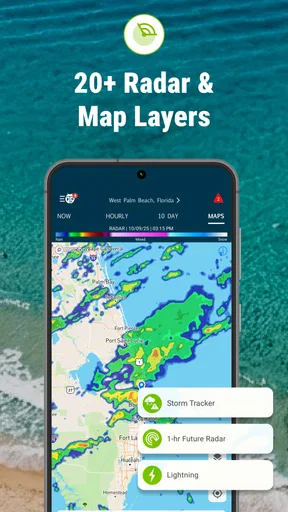
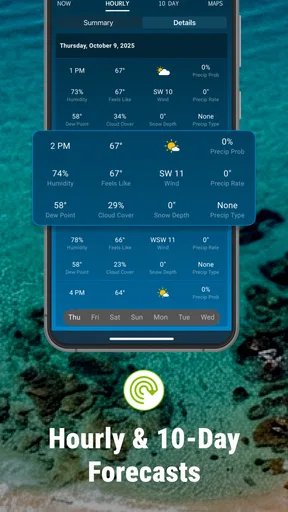
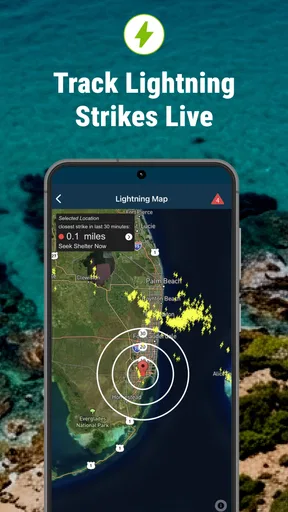
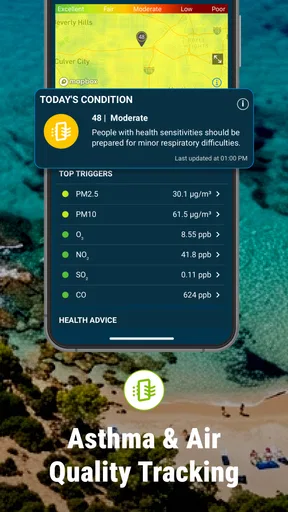
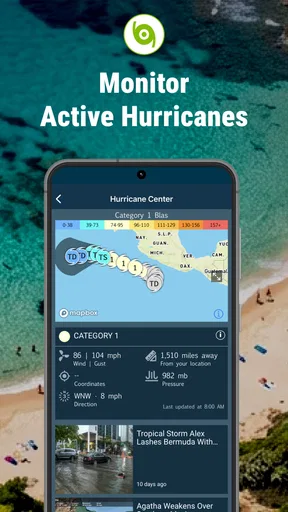
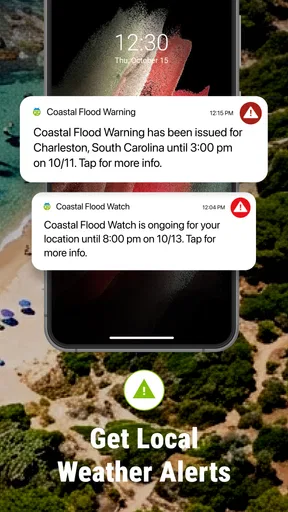
Our Review of WeatherBug: Weather Forecast
 Analysis by Appyee
I judge a weather app by how quickly it helps me make a real decision: take a coat, change a route, or keep an outdoor plan. WeatherBug is strongest when I want more than a single temperature and a rain icon. Its radar, severe-weather alerts, and activity-oriented outlooks give me several ways to check conditions, though that breadth can feel like more than I need if I only want a simple daily forecast.
What I look for before trusting a forecast
A forecast is most useful when it answers a practical question at the right moment. Before leaving home, I might care about the next hour; when arranging a weekend walk, I want a broader sense of how conditions could change. I find WeatherBug most compelling as a quick-check tool that also lets me investigate further when the sky looks uncertain.
That distinction matters because no weather app can make an outdoor plan risk-free. I treat a forecast as guidance, not a promise, and use a live radar view to add context when rain or storms are approaching. The app’s combination of local outlooks and weather information makes that workflow feel more complete than relying on a lone daily high and low.
When radar adds useful context
Radar is especially valuable when the forecast says showers are possible but does not settle the question of whether I should leave now. I can check the map, see how nearby weather is developing, and decide whether it makes sense to wait, bring rain gear, or choose an indoor alternative. It is a more active way to plan than checking a small weather icon and hoping for the best.
There is a trade-off: a map offers detail, but it also asks me to interpret that detail. If I am in a hurry, I would rather start with the main forecast and open radar only when the decision is genuinely uncertain. That keeps the app useful without turning a quick check into a long session of watching weather move across a screen.
Alerts are most useful when they stay focused
Severe-weather notifications can be valuable because they bring important changes to my attention when I might not be checking the app. I would use them for a day when I am outdoors, travelling around town, or responsible for changing plans at short notice. For everyday showers, though, I prefer to check the forecast myself rather than receive every possible prompt.
My practical advice is to make alert choices deliberately. Notifications should cover the situations where an early warning could change what you do, not simply repeat information you already see. This is a general approach to using weather alerts, rather than a claim that every notification can be tuned in a particular way: the best setup is the one that informs you without making you ignore the next alert.
A realistic day with the app
Imagine I have errands in the morning and an outdoor commitment later. I can check the local forecast before leaving, use radar if clouds are building, and revisit conditions before setting out again. If severe weather is a concern, alerts provide another way to stay aware rather than relying on memory to keep reopening the app.
That routine shows where WeatherBug earns its place: it links a quick glance with a deeper check when circumstances call for one. It does not make the decision for me. I still need to allow time for changing conditions and use common sense, particularly if I am driving or heading somewhere exposed.
How it compares with simpler weather apps
Many people are satisfied with the basic forecast built into a phone or with a lightweight weather app that emphasizes a clean summary. Those options can be better if all I need is today’s temperature and a quick look at tomorrow. WeatherBug makes more sense when I want radar, storm awareness, and additional context for planning activities in one place.
The richer approach has a cost in attention. A simple app can be easier to scan, while a feature-packed weather app may encourage me to explore details that do not matter for the decision at hand. I would choose based on how often I use maps and alerts: if I rarely need them, a simpler option may suit me better; if I routinely plan around changing conditions, WeatherBug’s broader toolkit is more persuasive.
Who is likely to get the most from it
I would recommend WeatherBug to people who spend time outside, make plans that depend on the weather, or want more context than a daily forecast provides. Runners, walkers, golfers, and drivers may appreciate the activity-oriented information, while anyone watching for storms can benefit from having radar and alerts close at hand. The app is also approachable enough for someone who is not especially interested in meteorology but wants practical details.
I would steer away from it if your priority is an extremely minimal screen, or if you only check the weather occasionally and never use radar or alerts. More features are not automatically better; an app earns its space when you actually use what it offers. People who need to make high-stakes decisions should also consult appropriate official guidance rather than treating a consumer forecast as a substitute for emergency information.
WeatherBug is a free weather app from WeatherBug, with a 4.6 average from around 1.9 million ratings and over 10 million installs. It is rated for Everyone, and its current version is 5.120.0-9. Optional in-app purchases range from $1.99 to $399.99 per item, so I would check the purchase details before choosing anything beyond the free experience.
Those figures give a sense of how widely used it is, but they do not decide whether it fits my routine. I would start with the free experience, check whether the local forecast and radar suit the places I actually go, and only consider optional purchases if I find a specific reason. If I am content with a basic forecast, there is no need to pay for extras simply because they are available.
Have you ever found yourself staring at the sky, trying to predict if it's going to rain or shine? Well, say goodbye to those guesswork days because I've been diving into WeatherBug: Weather Forecast and it's a game-changer for all things weather-related. Let me share my experience with this awesome app.
First Impressions: What Caught My Eye
I’ve tried my fair share of weather apps, but the moment I opened WeatherBug, I was hooked. The interface is super clean and intuitive, which means you don't have to be a meteorologist to understand what's going on. Right from the start, it pulls you in with its vibrant design and easy-to-read displays.
One of the things that immediately stood out was the live radar. It's incredibly detailed and shows real-time weather conditions. Whether I'm planning a hike or deciding whether to bring an umbrella, this feature is a lifesaver. Plus, the app loads quickly, so I’m not stuck waiting when I need info fast.
Features That Make a Difference
Let's get into the nitty-gritty of what makes this app a must-have. First up, the forecast accuracy. WeatherBug provides hyper-local forecasts, which means it gives you weather updates specific to your area. I’ve compared it with other apps, and the precision is spot on.
Another feature I love is the customizable alerts. You can set up notifications for severe weather, which is perfect for staying safe during sudden storms or unexpected weather changes. It’s like having a personal weather assistant, always keeping an eye out for you.
There's also a handy section with lifestyle forecasts. This feature gives insights into how the weather can affect activities like running, golfing, or even driving. It’s a neat addition that I find myself using more than I expected.
Ease of Use: Navigating the App
Now, let’s talk about usability. The app is incredibly user-friendly. Each section is clearly labeled, and the menus are straightforward. Even if you’re not tech-savvy, getting the hang of it is a breeze. The main screen gives you a quick summary, and diving deeper into details is just a tap away.
One thing I noticed is how smoothly the app runs. No glitches or crashes, which is a big win in my book. Everything is where you expect it to be, and the app’s performance is solid, even on older devices. It’s clear the developers put a lot of thought into making it accessible for everyone.
Personal Experience: How It Stands Out
From my personal experience, WeatherBug has become my go-to weather app. I remember planning a weekend getaway and relying on the app's extended forecast. It was spot on, saving me from a potential washout. Having that level of trust in weather predictions is invaluable.
Also, the app's ability to sync with my calendar is a nifty feature. It helps in planning events by giving me a heads-up if the weather might not cooperate. This integration makes it a seamless part of my daily routine.
Final Thoughts: Is It Worth It?
After spending time with WeatherBug: Weather Forecast, I can confidently say it's worth downloading. Whether you’re a weather enthusiast or just someone who wants reliable forecasts, this app delivers. Its accuracy, user-friendly design, and innovative features make it stand out in a crowded market.
So, if you're tired of getting caught in the rain or missing out on sunny days, give WeatherBug a try. Trust me, once you start using it, you'll wonder how you ever managed without it. It’s like having a weather station in your pocket, ready to guide you through every season.
Privacy and Permissions
See what permissions an app requests and how it handles your data.
- Location
- approximate location (network-based), precise location (GPS and network-based)
- Wi-Fi connection information
- view Wi-Fi connections
- Other
- view network connections, connect and disconnect from Wi-Fi, full network access, run at startup, control vibration, prevent device from sleeping, Google Play license check
Verdict
Strengths of WeatherBug: Weather Forecast
- Accurate and timely weather updates.
- User-friendly interface with smooth navigation.
- Comprehensive radar and map features.
- Customizable weather alerts for severe conditions.
- Detailed hourly and 10-day forecasts.
Limitations of WeatherBug: Weather Forecast
- Contains ads in the free version.
- May drain battery with continuous use.
- In-app purchases can be pricey.
- Requires constant internet connection.
- Occasional lag in data refresh.
Similar Picks in This Category
View All
Weather - By Xiaomi
Xiaomi Inc.4.1

Weather & Radar Forecast
WetterOnline4.8

Weather
OneLouder Apps4.6

AccuWeather: Weather Radar
AccuWeather3.6

The Weather Channel - Radar
The Weather Channel4.6

1Weather Forecasts & Radar
OneLouder Apps4.3
Frequently Asked Questions
What features does WeatherBug: Weather Forecast offer?
WeatherBug provides real-time weather data, including temperature, wind speed, and humidity. It offers interactive radar maps, severe weather alerts, and a 10-day forecast. Users can also access lifestyle forecasts, like pollen counts, and explore the app's lightning detection feature, which alerts you to nearby lightning strikes.
Is WeatherBug available for both Android and iOS devices?
Yes, WeatherBug is available for both Android and iOS platforms. You can download it from the Google Play Store for Android devices and the Apple App Store for iOS devices. The app is designed to be user-friendly on both mobile operating systems, ensuring a seamless experience.
Does WeatherBug require a subscription or are there in-app purchases?
WeatherBug offers a free version with ads and limited features. However, users can opt for the premium version, which is ad-free and includes additional features like enhanced forecasts and alerts. The premium version requires a subscription, which can be purchased within the app.
How accurate is the weather information provided by WeatherBug?
WeatherBug is known for its high accuracy, thanks to its vast network of weather stations and advanced forecasting technology. It utilizes data from professional-grade sensors and provides hyper-local forecasts, ensuring that users receive precise weather information tailored to their specific location.
Can WeatherBug send alerts for severe weather conditions?
Yes, WeatherBug provides alerts for severe weather conditions, such as storms, tornadoes, and extreme temperatures. Users can customize these alerts based on their preferences, ensuring they receive timely notifications to stay safe and prepared during adverse weather situations.
